
Building for ChatGPT: What We Learned Shipping an App with OpenAI's Apps SDK
Tech Team
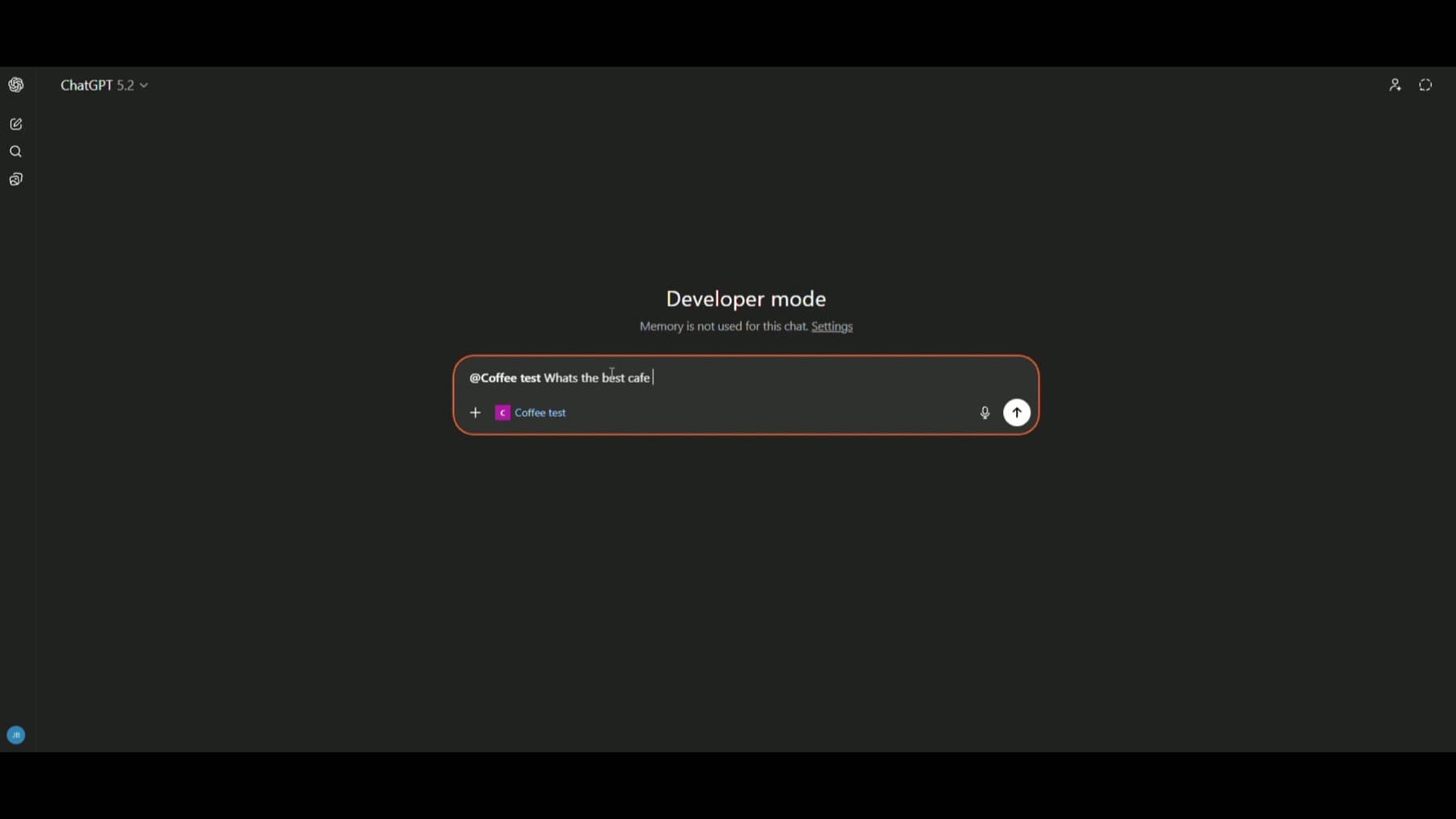
OpenAI recently opened a new way to build products: apps that run inside ChatGPT itself. Not plugins. Not chat assistants. Full interfaces that users interact with while the AI participates in real time.
We wanted to understand what building for this environment actually feels like. So we built something small but complete: a specialty coffee map for San Francisco. The goal was to explore how the SDK works, where it shines, and what changes when the AI can see and operate the interface alongside the user.
This post is a reflection on what we learned.
The Core Shift
After building this, we stopped thinking of ChatGPT as a place to ask questions. We started thinking of it as a place to ship products.
We built a coffee map using OpenAI's new Apps SDK. Not a chatbot. An actual interface inside ChatGPT where the user and the AI share control of the experience.
Most AI products today are either a chat window or a dashboard. This is neither. You can click. The AI can click. You can ask a question while the AI already knows what you're looking at: what filters are active, what's on screen, what you saved last week. "Anything good nearby?" doesn't need clarification. The context is already shared.
The mental model that helped us: you're building a UI that a model can operate, and a model that can see the UI state. It becomes a control loop. User intent leads to model decision, which leads to tool call, which leads to UI change, which updates context, which informs the next decision.
What Surprised Us
Shared Context Changes Everything
In traditional apps, context is explicit. You search, you get results. In this setup, the AI has peripheral vision. It knows what filters are active, what's visible on the map, what cafes were returned in the last search, what you saved last week.
When someone asks "anything good nearby?", the model doesn't need clarification. It already knows what "nearby" means because we silently sync the map state, the active filters, and the visible results to the model's context. The user never restates this information. The AI just knows.
This is what we started calling "invisible context." The backend sends structured data to the model that the user never sees. The model uses it to become situationally aware, and the conversation feels smarter as a result.
The SDK also lets you split widget state into what the model sees (`modelContent`) and what stays UI-only (`privateContent`). We used this to keep internal UI state private while exposing the meaningful context to the model.
Bidirectional Actions
The relationship between interface and conversation goes both ways.
Clicking a button can prompt the AI to respond. When a user taps "Save" on a cafe, the app can whisper to the model: "I just saved this. What's similar?" The AI responds naturally, and the user experiences continuity between their action and the conversation.
The model can also operate the interface. When the AI recommends a cafe, the UI opens its details panel. When the model suggests a neighborhood, the map pans there. Tool results drive concrete UI changes: selecting a cafe, fitting bounds to a list, updating filters.
This is the key product feel. The map moves when the model speaks. User actions and AI actions start to feel like turns in the same workflow, not separate systems.
Persistence Changes the Relationship
Users can save favorite cafes, and the widget keeps those picks around so when they reopen the same result later, their favorites are still there. That continuity shifts the experience from transactional to ongoing. It’s the difference between a tool you use once and a place you return to.
We used the Apps SDK’s widget state for this: the host persists it and rehydrates it back into the widget for that message. It’s scoped to that widget instance (and model-visible), which made it a great fit for lightweight "favorites" inside the flow, without turning the app into a backend project.
One thing we learned: state persists only when users continue through the widget's own controls, like its inline composer or fullscreen input. If they type into ChatGPT's main composer instead, the system treats it as a fresh request with a new widget instance. Understanding that boundary matters for designing continuity.
Tool Contracts Are UX
This was one of our biggest realizations: tool descriptions and schemas are part of product design, not backend plumbing.
If the tool contract is ambiguous, the model will answer generically. It might say "there are great cafes in San Francisco" instead of using your dataset and tools. Or it might produce a correct response textually but fail to drive the UI. The answer looks right, but nothing happens on screen.
Reliability improved when we tightened tool descriptions to map natural language intent to the right tool. "Find me something quiet" should trigger the search tool with the right filters, not generate a generic response about quiet cafes.
We also made outputs more explicit so the UI could respond predictably. The model selecting a cafe needed to produce structured output that the frontend could parse and act on. Ambiguity in tool output meant the UI couldn't react, and the experience broke.
The lesson: if you're building for this environment, treat your tool schemas like you treat your UI components. They're user-facing, even if the user never sees them directly.
The Hard Parts
State Sync Feels Like Distributed Systems
Sometimes the tool output arrives before the map exists. ChatGPT injects results into the widget runtime, but Mapbox is still booting inside the iframe. Without handling that gap, users see the answer but the map doesn’t move.
We ended up buffering “fly-to” and selection actions until the map signaled it was ready, then replaying them. It’s a small detail, but it shows up fast in this environment.
Source of Truth Conflicts
When both the user and the AI can control the interface, you need rules for who wins.
If the user is panning the map and the AI simultaneously tries to fly to a location, what happens? If the user applies a filter while the AI is mid-response, does the AI's output still make sense?
We spent time designing these rules. In most cases, explicit user actions take priority. But the design decisions are product decisions, not just engineering ones.
Mobile Is Its Own World
Fullscreen on mobile is not "just fill the screen."
You're dealing with safe area insets, visual viewport versus layout viewport, composer occlusion, and orientation changes. If you don't handle viewport math correctly, the UI looks broken: empty space at the bottom, overlays clipped, controls hidden behind system UI.
We implemented tracking for visual viewport height changes, dynamic adjustment of top and bottom insets, orientation-driven layout tuning, and explicit map resize calls when containers animate or change size.
Fullscreen also isn't entirely yours. The host controls certain behaviors and overlays. You can request display mode changes, but you still need to design around host UI constraints. It's not a normal web app. It's an app/widget inside someone else's environment.
Skybridge: The Sandbox Runtime
OpenAI calls the sandbox runtime that hosts these widgets Skybridge.
The idea: the UI and the model aren't separate systems talking to each other through an API. They're two views of the same state, connected by a bridge that keeps them in lockstep.
Tool calls flow up from the model. UI state flows back. The model isn't just talking about the map. It's operating it. And the map isn't just displaying data. It's informing the model's next decision.
Under the hood, it's built on MCP, plus a sandboxed widget runtime (`text/html+skybridge`). A tool call returns structured output and can also point to a custom HTML UI precompiled. ChatGPT loads that HTML into an iframe and injects the tool payload through `window.openai`, so the UI can render from tool output, call tools again, and persist widget state.
Skybridge also mirrors the iframe's history into ChatGPT's navigation controls. Standard routing APIs like React Router stay in sync with the host, so you get back/forward behavior without extra work.
The technical details matter less than the mental model: think of it as a shared control surface, not a client-server architecture.
What This Means
We kept coming back to the same realization: we weren't building a website. We were building an app for an AI operating system.
ChatGPT is becoming a platform where apps are co-piloted, context is shared between human and model, and the interface is executable by the AI. The opportunity here is less about chatbot UX and more about agentic UI design.
What kinds of products fit this model? Things where context matters. Where the relationship is ongoing, not transactional. Where the interface benefits from having an AI that can see what's happening and act on it. Maps, dashboards, planning tools, anything where "show me" and "help me decide" happen in the same flow.
ChatGPT is becoming a distribution surface. The teams that learn to build for it early will understand constraints and patterns that others will have to discover later.
If you're exploring this space or thinking about what your product could look like inside ChatGPT, we'd be glad to talk. This is the kind of problem we enjoy working on.